
VORAUSSETZUNGEN
WICHTIG
Mindestversion
| Mindest-Betriebssystem | SPSS 31 | SPSS 32 |
|---|---|---|
| Windows | Windows 10 (64-Bit) | Windows 11 (64-Bit) |
| macOS | macOS 10.15 Catalina | macOS 15 Sequoia |
Installationsdatei herunterladen
Mitarbeitende
Die Datei befindet sich unter:
Windows : \\common\software\Windows\SPSS
→ Die Datei mit der Endung “.exe” öffnen
Mac : smb://common/software/MacOS/SPSS
→ Die Datei mit der Endung “.dmg” öffnen
Studierende
- SPSS über https://student.unifr.ch/software/my kaufen
- SPSS über die Schaltfläche “Download” herunterladen

Installation und Aktivierung der Lizenz
unter Windows
Installation der Software
Schritte 1 und 2 nur für Studierende
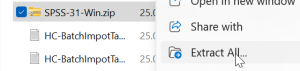
- Die heruntergeladene Datei entpacken
- Den soeben entpackten Ordner öffnen
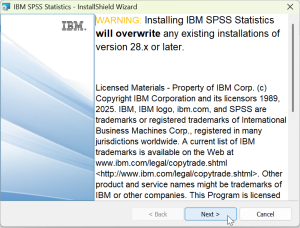
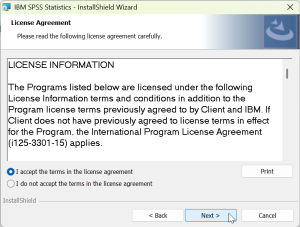
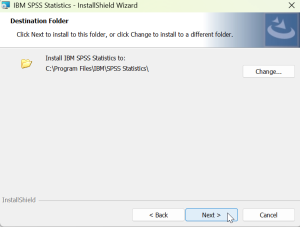
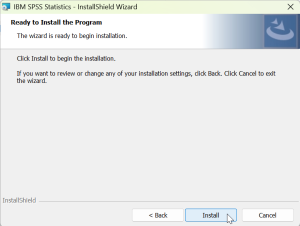
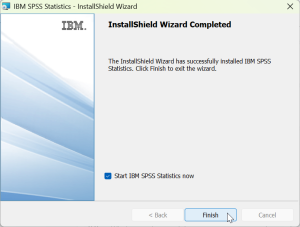
- Auf die Datei mit der Endung “.exe” doppelklicken und den Installationsanweisungen folgen
Aktivierung der Lizenz
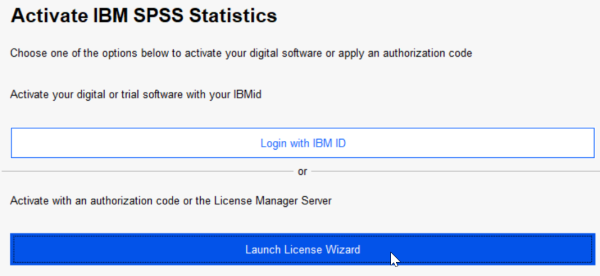
Sobald die Installation abgeschlossen ist, öffnet sich das folgende Fenster.
- Auf “Launch License Wizard” klicken
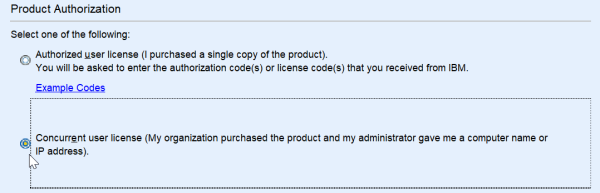
- “Concurrent user license” auswählen
- Den Code aus der Rubrik “UniFR licence” der gekauften Software kopieren und einfügen.
Der Code ist hier verfügbar:
– Mitarbeitende → Unter \\common\software\Windows\SPSS → “Licence serveur.pdf”
– Studierende → https://student.unifr.ch/software/my (im Bild unten gezeigte Version)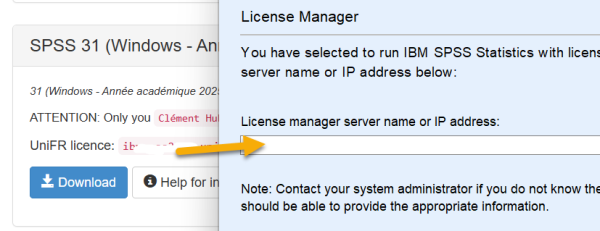
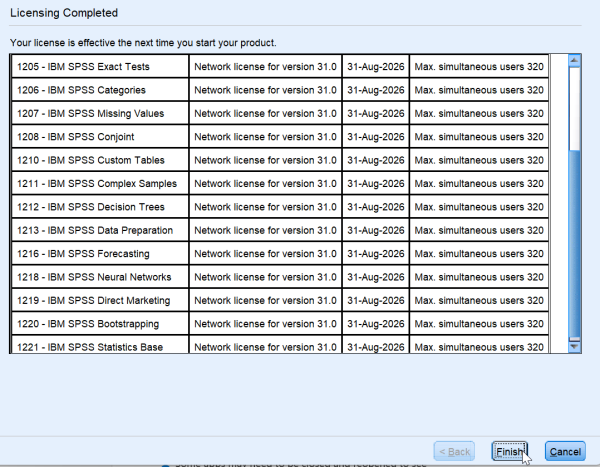
- Ist die Lizenz gültig, erscheint ein Fenster ähnlich wie dieses:
- Das war’s, viel Spass!
unter macOS
Installation der Software
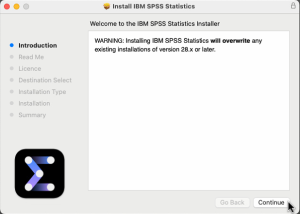
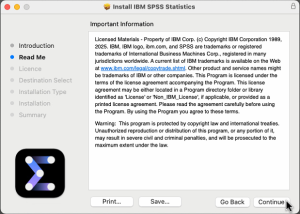
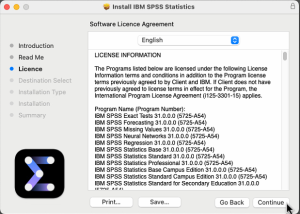
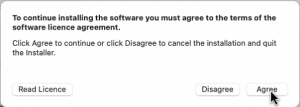
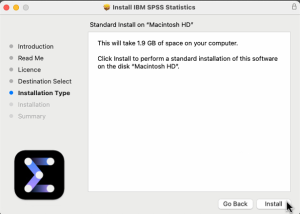
- Auf die heruntergeladene Datei doppelklicken und die Datei mit der Endung “.dmg” öffnen
- Den Installationsanweisungen folgen
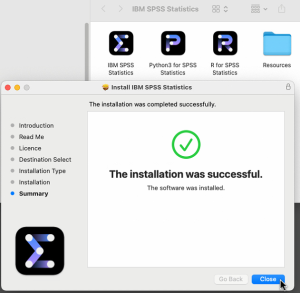
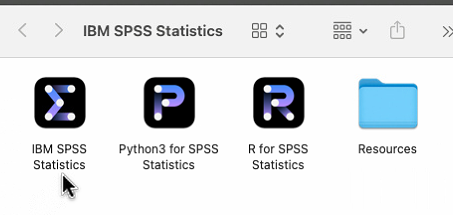
Aktivierung der Lizenz
- Auf “Launch license Wizard” klicken
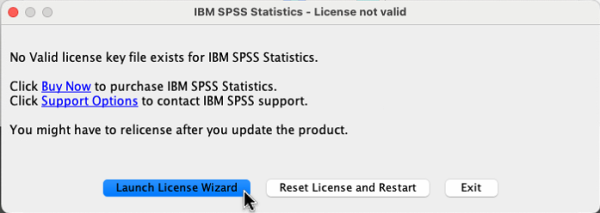
- “Concurrent user license” auswählen
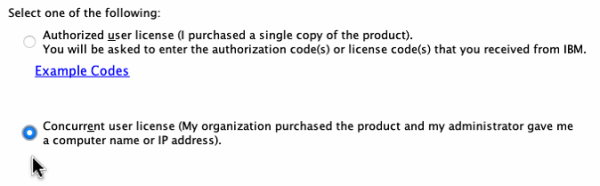
- Den Code aus der Rubrik “UniFR licence” der gekauften Software kopieren und einfügen.
Der Code ist hier verfügbar:
– Mitarbeitende → Unter smb://common/software/MacOS/SPSS → “Licence serveur.pdf”
– Studierende → https://student.unifr.ch/software/my (im Bild unten gezeigte Version)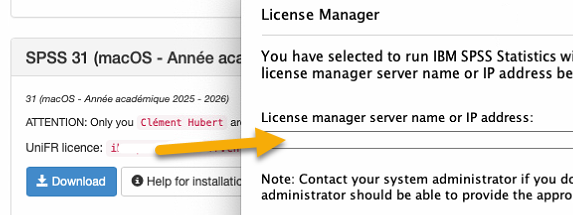
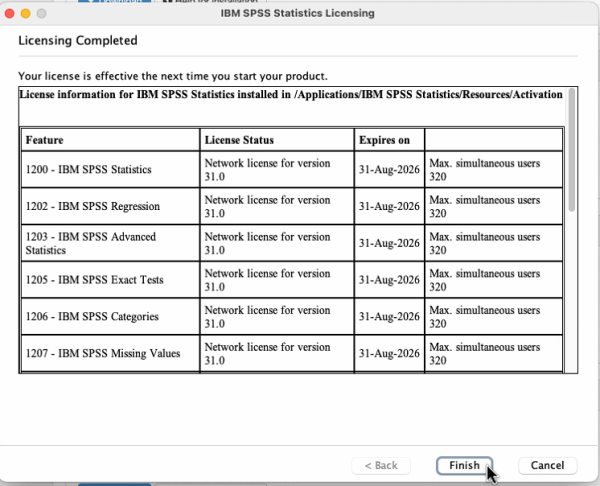
- Ist die Lizenz gültig, erscheint ein ähnliches Fenster. Auf “Finish” klicken
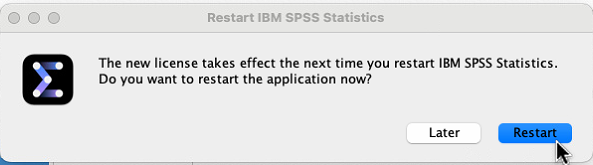
- Das folgende Fenster öffnet sich. Auf “Restart” klicken
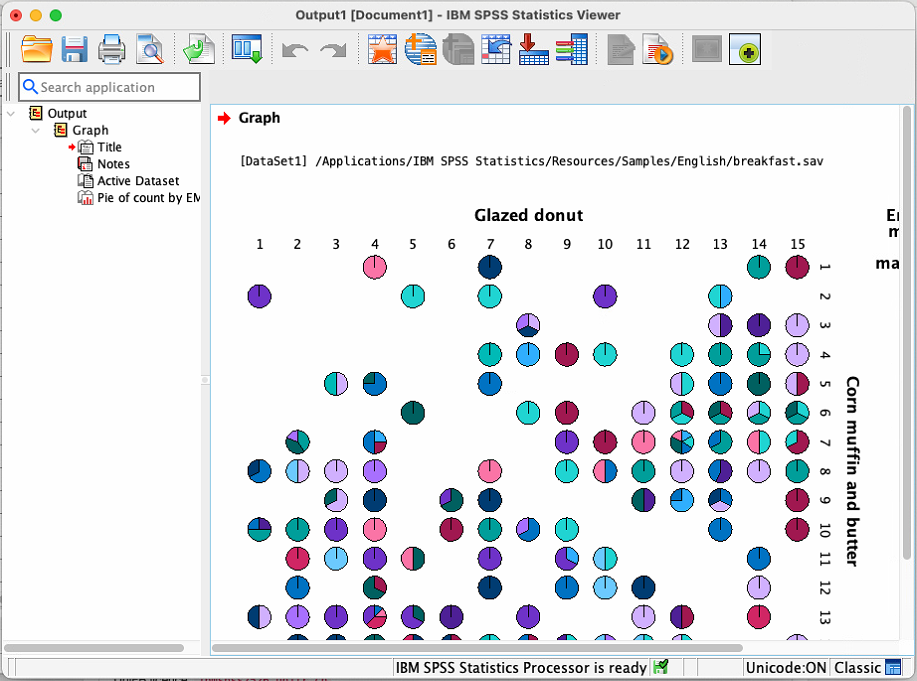
- Das war’s, viel Spass!
(Visited 5.859 times, 2 visits today)
Article aussi disponible en / Artikel auch verfügbar in: